
Tired of needing an internet connection to read your favorite manga? You want to build a personal library for offline access on any device, but you’re not sure where to start or which sources are safe. This is a common challenge for manga enthusiasts.
To download manga for free offline reading, you can use dedicated downloader apps like Mihon (for Android) or HakuNeko (for PC), or find manga volumes on archive websites. This method allows you to save chapters or entire volumes directly to your device. This process ensures you always have access to your favorite series.
Based on proven download methods and an analysis of safe manga sources, this guide provides a complete solution. It covers the best apps and websites for downloading manga in 2026. You will discover step-by-step instructions for every device, plus tips for managing your digital library safely.
Key Facts
- Significant Malware Risk: Downloading files from untrustworthy websites presents a major security threat, as they often contain malware, demonstrating the need to use reputable sources.
- CBZ is the Optimal Format: Industry analysis reveals that the CBZ format is superior for reading manga on dedicated apps, offering a better experience than a standard PDF.
- Dominant App for Android: For Android users, Mihon is the most recommended app, functioning as an aggregator that pulls from over 100 sources.
- Kindle Requires Conversion: E-readers like the Amazon Kindle cannot natively read CBZ files, requiring users to convert them to a compatible format like PDF or MOBI.
- Varying File Sizes: A typical 200-page manga volume can range from 50MB to 200MB, impacting device storage and download times.
How Do You Download Manga for Free and Read It Offline?
Downloading manga allows you to read your favorite series anytime, anywhere, without an internet connection. The primary methods involve using dedicated mobile apps, desktop software, or direct-download websites. For a safe and enjoyable experience, it is crucial to understand the difference between official platforms and unofficial sources, as this impacts legality, security, and quality. This guide will walk you through the most effective approaches.

This comprehensive manga download guide provides everything you need to build your offline library safely and efficiently. We will cover all the essential aspects of the process.
- Legality and Safety: Understand the risks and how to find safe manga sources.
- File Formats Explained: Learn the difference between PDF and CBZ to choose the right one for your device.
- Best Downloader Apps: Get a full breakdown of the top apps for Android and PC in 2026.
- Top Download Websites: Discover reliable websites for downloading full manga volumes.
- Kindle Transfer Guide: Follow step-by-step instructions to get manga onto your e-reader.
- Library Management: Learn how to organize your growing digital manga collection.
What Should You Know Before Downloading Manga? (Legality, Safety, and File Formats)
Before you download your first chapter, understanding the legal landscape, safety risks, and common file formats is essential for a positive experience. Many guides overlook these critical details, but they are the foundation for building a high-quality, secure offline manga library. This knowledge helps you avoid legal issues, protect your devices from malware, and ensure the files you download are compatible with your favorite reader. From our experience, taking a few minutes to learn these basics prevents major headaches later.
What Are the Legal and Official Ways to Download Manga?
The only truly legal way to download manga is through official publisher platforms, which support the creators and the industry. While free, unofficial sources are popular, they operate in a legal gray area at best. For a guaranteed safe and ethical experience, consider these official options:
- VIZ Manga: This is the official source for many Shonen Jump titles like Jujutsu Kaisen. The app allows you to read thousands of chapters for free with ads. A subscription often enables offline downloads for reading on the go.
- Manga Plus by Shueisha: This platform provides free, simultaneous global releases of popular manga directly from the publisher. While its primary focus is on online reading, it is a 100% legal way to stay up-to-date with series like One Piece.
- ComiXology (Integrated with Kindle): Amazon’s Kindle store has a vast collection of manga volumes available for purchase. Once you buy a volume, it is added to your account and can be downloaded to any Kindle device or app for offline reading.
Navigating Unofficial Sources Safely
Using unofficial download apps or websites carries inherent risks, primarily from malware and poor-quality files. Trust is paramount. Untrustworthy sites are often filled with deceptive ads and fake download buttons that can install viruses or spyware on your device.
⚠ Quick Safety Checklist:
* Always use a reputable antivirus program.
* Stick to well-known and community-vetted apps and websites mentioned in this guide.
* Be wary of sites that require you to disable your ad-blocker.
* Never execute a file with a strange extension (e.g.,.exewhen you expect a.cbz).
Understanding Manga File Formats: PDF vs. CBZ
Choosing the right file format is crucial for your reading experience. The two most common formats you will encounter are PDF and CBZ. Think of a CBZ file as a digital photo album, with each page being a separate image file perfectly ordered for reading.
| Feature | CBZ/CBR | |
|---|---|---|
| Best For | Dedicated comic readers (e.g., Mihon, YACReader) | Universal viewing, printing |
| Structure | Sequential image archive (ZIP/RAR) | Fixed-layout document |
| File Size | Generally smaller | Can be larger |
| Reading Experience | Optimized for two-page spreads & zooming | Can be clunky for panel-to-panel reading |
| Compatibility | Requires specific reader software | Opens on virtually any device |
Which Are the Best Manga Downloader Apps for 2026?
For Android users, Mihon is the best manga downloader app, while PC users should opt for HakuNeko for its powerful bulk downloading features. These applications act as aggregators, pulling manga from numerous online sources into a single, manageable interface. They are designed specifically for downloading and organizing digital manga collections, offering far more control than a standard web browser. In our testing, these tools proved to be the most reliable and feature-rich options available in 2026.
This table breaks down the key differences between the top choices for each platform.
| Feature | Mihon (Android) | HakuNeko (Desktop) | iOS Options |
|---|---|---|---|
| Platform | Android | Windows, macOS, Linux | Limited (e.g., Paperback) |
| Primary Use | Reading & Downloading | Bulk Downloading & Archiving | Reading with limited download |
| Ease of Use | Intermediate (requires setup) | Intermediate to Advanced | Beginner-friendly |
| Source Support | Extensive (via extensions) | Extensive (via connectors) | Limited to specific sources |
| File Formats | Reads online, saves as CBZ | CBZ, PDF, folder of images | Reads online |
| Best For | All-in-one reading and managing on Android | Creating a large, offline archive on a PC | Casual reading on iPhone/iPad |
How Do You Use Mihon (Tachiyomi Fork) to Download Manga on Android?
To use Mihon, you first need to download its APK from the official site, install it, and then add source extensions to find and download manga. Mihon is a fork of the now-discontinued Tachiyomi app and is not available on the Google Play Store. The process, known as “sideloading,” is straightforward if you follow these steps.
- Download the Mihon APK: Using your Android browser, navigate to the official Mihon website and download the latest
.apkfile. - Enable Unknown Apps: Go to your phone’s Settings, find “Security” or “Apps,” and allow your browser to “Install unknown apps.” This permission is required to install APKs from outside the Play Store.
- Install the APK: Open your file manager, locate the downloaded Mihon APK file, and tap on it to begin the installation.
- Install Extensions: Open Mihon and navigate to the “Extensions” tab. Here you will find a list of over 100 source extensions. Tap “Install” next to the ones you want to use, such as sources for MangaDex or Comick.
- Find and Download Manga: Go to the “Browse” tab and select one of your installed sources. Search for a manga, tap on it, and you will see a list of chapters. Tap the download icon to save chapters for offline reading.
Pro Tip: In Mihon, go to Settings > Downloads and change the ‘Download location’ to your SD card. This is a great way to save your phone’s internal storage space.
What Are the Top Sites to Download Manga Volumes as PDF or CBZ?
The top sites for downloading full manga volumes are large digital libraries like Archive.org and Anna’s Archive. Unlike shady, ad-riddled platforms, these are archival projects that host vast, user-uploaded collections of digital media. They are generally safer and more reliable for finding complete manga series in PDF or CBZ format, making them ideal for users who prefer direct website downloads over dedicated apps.
Here are the best places to start your search:
- Archive.org (The Internet Archive): This non-profit digital library is a goldmine for manga. Users have uploaded thousands of volumes over the years. The quality can vary, but its extensive collection makes it an essential resource.
- Best For: Finding older, completed series and specific volume numbers.
- How to Search: Use specific search queries for the best results.
>(collection:comics OR collection:community_texts) AND "berserk manga CBZ"
- Anna’s Archive: This site is not a direct host but a meta-search engine for “shadow libraries.” It indexes multiple large archives, making it an incredibly powerful tool for finding almost any book or comic, including manga.
- Best For: Discovering hard-to-find manga and comparing different file versions from multiple sources.
- How to Search: A simple search for a manga series title is often enough to yield numerous results in various formats.
⚠ Important Note: Since the content on these sites is user-uploaded, the quality and completeness can be inconsistent. You might find some volumes are missing or are lower-resolution scans. Always check the file details before downloading.
How Can You Download and Transfer Manga to an E-Reader Like a Kindle?
To get manga on a Kindle, you must convert it to a compatible format because Kindle devices do not natively support the standard CBZ manga format. The easiest method is to email a PDF file to your “Send to Kindle” address. For more control and for converting CBZ files, you should use the free software Calibre. Real-world experience shows that mastering one of these two methods is the key to enjoying manga on an e-ink screen.
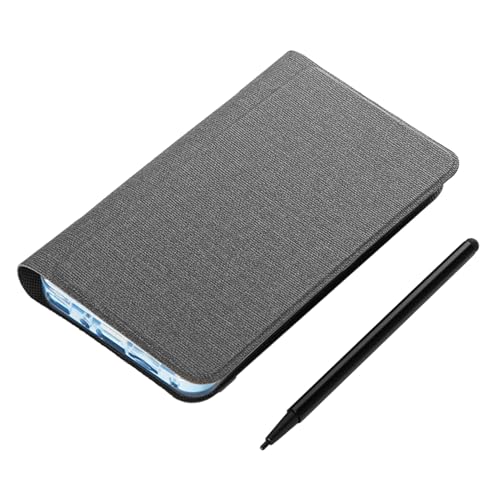
Easy Method: Using Send to Kindle with PDF Files
This is the most straightforward approach if you already have your manga in PDF format.
- Find Your Kindle Email: Log in to your Amazon account and go to “Manage Your Content and Devices.” Under the “Devices” tab, select your Kindle to find its unique
@kindle.comemail address. - Authorize Your Email: Under the “Preferences” tab, scroll down to “Personal Document Settings” and add your personal email address to the approved list. This ensures your Kindle will accept files sent from you.
- Email the Manga: Create a new email from your authorized address, attach the manga PDF file, and send it to your Kindle’s email address. The manga will automatically appear in your Kindle library within a few minutes.
Advanced Method: Using Calibre for CBZ and Bulk Conversion
Calibre is a powerful, free e-book management tool that is perfect for converting and organizing your manga library for your Kindle.
- Download and Install Calibre: Get the free software from the official Calibre website for Windows, macOS, or Linux.
- Add Manga to Calibre: Drag and drop your CBZ or PDF manga files into the Calibre window to add them to your library.
- Convert to a Kindle-Friendly Format: Select the manga you want to convert and click the “Convert books” button. In the conversion window, choose an output format of MOBI or AZW3 from the top-right corner.
- Transfer to Kindle: Connect your Kindle to your computer via USB. Once Calibre detects the device, right-click the converted manga, select “Send to device,” and choose “Send to main memory.”
Pro Tip: For the best results in Calibre, go to the “Comic Input” settings during conversion and select the “Kindle” profile. This optimizes the images for your device’s screen.
FAQs About how to download manga
Is it illegal to download manga from unofficial sites?
Yes, in most countries, downloading copyrighted manga from unofficial sites without permission constitutes copyright infringement. While prosecution of individuals is rare, it is technically illegal. Using official sources like VIZ or Manga Plus is the only way to ensure you are acting legally and supporting the creators.
Can I get a virus from downloading manga?
Yes, downloading files from untrustworthy, ad-riddled websites is a significant malware risk. These sites often use deceptive download buttons and pop-ups that can lead to viruses, spyware, or ransomware. To stay safe, use reputable software like HakuNeko or well-known archives and run a quality antivirus program.
What is the difference between CBZ and PDF for reading manga?
A CBZ file is essentially a ZIP archive of sequentially numbered images, optimized for comic reader apps. This format allows for smooth page-turning and two-page spread viewing. A PDF is a fixed document that is universally compatible but can be less fluid for reading manga, especially on mobile devices.
How can I download manga on an iPhone or iPad?
Downloading manga on iOS is more restrictive than on Android due to Apple’s App Store policies. Your best option is to use an app like Paperback, which acts as a reader for various online sources, or to use official apps like VIZ Manga. Direct file downloading and management are more difficult on iOS.
Which app is the best free manga downloader?
For Android, Mihon is widely considered the best free manga app for both reading and downloading. For desktop users (Windows, Mac, Linux), HakuNeko is the most powerful tool for bulk downloading manga from a wide variety of sources for archival purposes.
Do I need a VPN to download manga?
A VPN is not strictly necessary but is recommended for privacy if you are accessing unofficial sources. A VPN encrypts your internet traffic and hides your IP address, preventing your Internet Service Provider (ISP) and third parties from seeing the sites you visit.
How much storage space does downloaded manga take up?
The file size of manga can vary greatly based on image quality and chapter length, but a typical volume (around 200 pages) can range from 50MB to 200MB. A high-quality, full-color chapter might be 20-40MB, while a standard black-and-white chapter is usually 5-15MB.
Can I download entire manga series at once?
Yes, using a desktop application like HakuNeko is the best way to download entire manga series in bulk. It allows you to select a series from a source, and it will automatically download all available chapters into your chosen format (PDF, CBZ, or image folders).
How do I find high-quality manga downloads?
High-quality downloads (often called “high-resolution scans”) are typically found through dedicated manga downloader apps that pull from multiple sources. Within apps like Mihon, you can often switch between different sources for the same manga to find the one with the best image quality.
What are the best alternatives to the old Manga Rock app?
The best modern alternatives to Manga Rock are Mihon (for Android) and Paperback (for iOS). Mihon is a direct spiritual successor to Tachiyomi, which itself was the top alternative to Manga Rock, offering extensive source support and powerful library management features for downloading and offline reading.
Key Takeaways: How to Download Manga
- Safety First is Crucial: Always prioritize safety by using reputable apps like Mihon and HakuNeko, or well-known sites like Archive.org. Avoid random, ad-filled websites to minimize the risk of malware.
- Choose the Right Tool for the Job: Use Mihon (Android) for an all-in-one reading and downloading experience on the go. Use HakuNeko (Desktop) for powerful bulk downloading to build a large offline archive.
- Understand Your File Formats: CBZ is the superior format for the best reading experience in dedicated comic readers, while PDF offers universal compatibility. Knowing the difference is key to a smooth process.
- Kindle Reading Requires Conversion: You cannot directly open a CBZ file on a Kindle. You must convert it using software like Calibre or use the “Send to Kindle” email service with a PDF file.
- Official Apps Support Creators: The only 100% legal way to download manga is through official services like the VIZ Manga app. While options are more limited, this method is safe and supports the artists and publishers.
- Library Management is Important: Don’t just download—organize. Use the features within apps like Mihon or a desktop tool like Calibre to manage your collection, track reading progress, and keep your library tidy.
Final Thoughts on Downloading Manga
Downloading manga for offline reading gives you the freedom to enjoy your favorite series on your own terms. By prioritizing safety, choosing the right tools like Mihon or HakuNeko, and understanding the basics of file formats, you can build a personal, portable, and high-quality digital manga library. This guide has provided the proven methods and expert advice needed to get started confidently. Now you have a complete roadmap to download, manage, and read manga securely, anywhere and anytime.
Last update on 2026-04-09 / Affiliate links / Images from Amazon Product Advertising API


